
Free PowerPoint Tutorial – Create an Immersive 3D PowerPoint with Figma & Blender
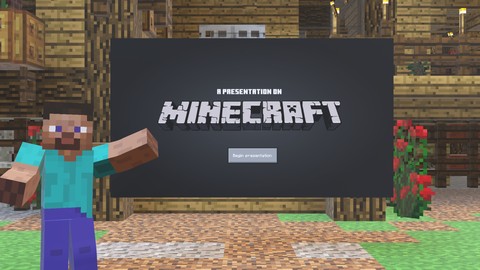

Elevate your presentation skills with this comprehensive course on creating immersive 3D PowerPoint presentations. Using industry-standard technologies, you’ll learn to craft engaging PowerPoints. Along the way, you’ll discover valuable design resources like Sketchfab for 3D assets and explore sources for custom fonts to enhance your projects!
Core Technologies and Skills
Figma: Industry-standard design tool for making all sorts of things
Create slides for various purposes: UI, branding, marketing, and presentations
Export designs as high-quality images for use in 3D environments
Blender: Editing 3D worlds with a very popular software
Learn some essential 3D workflows
Learn UV unwrapping techniques to apply your Figma designs as textures
Explore color adjustment for image textures to perfect your 3D scenes
PowerPoint: Presentation software
Import and showcase your 3D creations in a widely accessible format
Use morph transitions for smooth camera movements in 3D space
Discover tips and tricks for creating immersive 3D presentations
By Course Completion, You’ll Be Able To:
Design and deliver some cool 3D PowerPoint presentations
Generate 3D presentations for all sorts of things like real estate, or virtual museums
Confidently use industry-standard tools in your workflow
Integrate 3D elements into your presentations
Feel free to reach out any time if you have questions. Thanks for stopping by~“
Who this course is for:
- Those seeking to make more engaging presentations
User Reviews
Be the first to review “Free PowerPoint Tutorial – Create an Immersive 3D PowerPoint with Figma & Blender”
You must be logged in to post a review.




There are no reviews yet.