
Free Sheet Metal Tutorial – Learn Sheet Metal Design
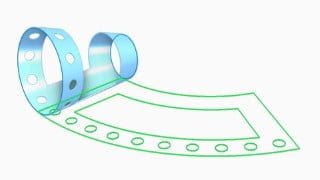

Learn how to create 3D sheet metal models with Siemens Solid Edge software. This course is perfect for designers interested in Mechanical Engineering and Sheet Metal. Streamline your design process with Solid Edge’s sheet metal-specific features.
Sheet metal can be cut, bent and stretched into an amazing array of shapes. To meet unique sheet metal design challenges, like manufacturability, Solid Edge streamlines the entire sheet metal product development process, from CAD design through flat pattern and drawing development. Unlike general purpose CAD tools, Solid Edge includes sheet metal-specific features, like Emboss, Dimple, Drawn Cut, Bead, Contour Flange, Straight Brake and Etch. This class introduces the concepts and best practices for creating 3D sheet metal models with Siemens Solid Edge software. A core design capability of Solid Edge is the Sheet Metal environment, which provides an entire design-through-fabrication workflow, using streamlined synchronous modeling methods tailored to the unique needs of sheet metal design.
Who this course is for:
- Designers who are interested in Mechanical Engineering and Sheet Metal
User Reviews
Be the first to review “Free Sheet Metal Tutorial – Learn Sheet Metal Design”
You must be logged in to post a review.





There are no reviews yet.