
Free Tutorial – Introduction to BIM with ArchiCAD
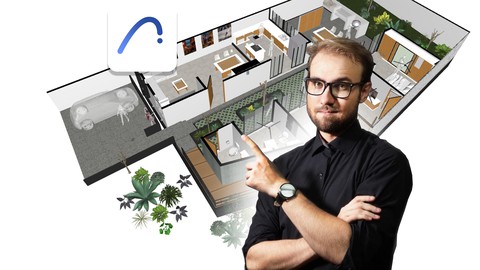

What is BIM? Which is better, Revit or ArchiCAD? How can I register, download and install the current version of ArchiCAD? How can I open, view and navigate in 2D and 3D a BIM project with ArchiCAD? What types of BIM solutions does ArchiCAD offer me? These are some of the questions that I will answer for you for free in less than 2 hours.
Building Information Modeling (BIM) stands out as a work methodology that revolutionizes the architecture, engineering, construction and operation (AECO) sector, and ArchiCAD -a solution developed by Graphisoft since 1982- is one of the various instruments that enables this way of working, allowing through the centralization of information in a BIM database to improve the overall productivity and quality of a BIM project in less time than the traditional 2D CAD workflow.
Welcome! My name is Valentyn-Vladyslav Kotsarenko, a graduate with a Master’s in Architecture and BIM Coordinator. In addition to being certified as an advanced user in handling ArchiCAD, I have had the opportunity to collaborate with Graphisoft Mexico in the implementation of BIM for the professional sector; I have over 10 years of experience in this and other topics, but even more experience training universities, companies, and individuals in the use of various BIM solutions, seeking to optimize work and production processes to the fullest. And this time, I will guide you.
This subject represents the first step in a series of pedagogically structured trainings; If you have not yet generated your first experience with BIM, you are unsure of where to start, or you just want to try ArchiCAD as a more concise alternative, this training is for you.
Throughout this training:
I will explain the advantages of the BIM work methodology
I will clarify the differences and potentialities between Revit and ArchiCAD
I will teach you how to register a license, download and install the latest version of ArchiCAD
I will teach you how to take the first steps with ArchiCAD
I will teach you how to consult and navigate a BIM project in ArchiCAD
I will demonstrate the potential of the various BIM solutions that ArchiCAD offers
And more.
BIM has transformed work patterns around the world, and today you too can take the first step! Sign up!
Who this course is for:
- Students and professionals related to architectural, interior, industrial or graphic design, engineering, construction or related areas.
User Reviews
Be the first to review “Free Tutorial – Introduction to BIM with ArchiCAD”
You must be logged in to post a review.





There are no reviews yet.