
Free Windows 10 Tutorial – FREE Computer Literacy 101 Course
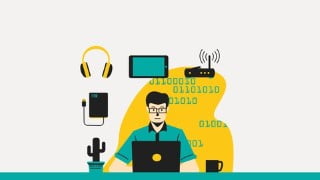

Learn the basics of computer literacy with this FREE course by Joaquin Pujols, an experienced IT professional. Discover the difference between hardware and software components, create folders and files, and explore the command line. Suitable for fresh IT graduates and non-technical users, age is no barrier to learning new skills. Enroll today and start your journey towards computer literacy.
Do you feel technology is too advanced to start learning? Do you think technology is just for young generations? If I responded any of these questions, I would recommned you to enroll in this FREE course to learn and understand the basics of computer literacy 101.
Hi, my name is Joaquin Pujols, and I have 16+ years of experience in the IT world. Plus, 7 additional years teaching technology to young and adults students all across the globe. This is my first course in Udemy. I will do my best to respond all your questions and provide additional material to help you enforce your new skills.
In this course, I will show you the difference between hardware and software components and explain you the relationships between both.
You will learn how to create folders, subdirectories and files. Later, you will learn how to explore the user profiles folder and a brief introduction to the command line. The command line will help you to detect network connectivity issues if you are either connected on Wireless or hard wire to your modem/router. This seems to be challenging but I will be here to help you understand these complex topics.
Start today and don’t miss the opportunity of learning new skills. Age is just a number. We will be taking this class together. Happy learning.
Who this course is for:
- Fresh IT graduate students
- Non-technical users with no IT experience
User Reviews
Be the first to review “Free Windows 10 Tutorial – FREE Computer Literacy 101 Course”
You must be logged in to post a review.




There are no reviews yet.