
Fusion 360 for CNC – The complete CAM guide for beginners
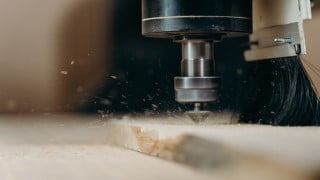

Learn how to create toolpaths for a CNC in Fusion 360 with this comprehensive class. Gain a better understanding of CAM and take the guessing game out of machining. Perfect for beginners or those looking to improve their skills. Start making smart decisions and program your CNC safely and efficiently. Join now and unlock the potential of your CNC machine.
What you’ll learn
- Create different toolpaths in Fusion 360 for a CNC
- Navigate the controls of the manufacturing section of Fusion 360
- Understand the order of operation necessary in CAM
- Create custom tools
- Understand the impact of speeds, feeds and RPM + how to get them right
- Generate proper g-code to use with your CNC
What students have to say about this class :
“Even though I am experienced in CAM, I’ve had a career break and needed a refresher course before starting my new job. This course is perfect for my needs and the instructor has a clear idea on what he is teaching which makes it really valuable. Keep up the good work and Thank you!”
“Clear and concises, I learned what I expected to and can now operate a CNC mill with confidence.”
“So far this course is showin me the things I was wanting to learn, finding in it very intuitive and methodical in the approach”
“That course is perfect for absolute CAM beginners who want to know how to wisely operate a CNC Router .”
In this class you’ll learn to create toolpaths for a CNC in Fusion 360. This is what’s called CAM (Computer-aided manufacturing).
Do you have a CNC and don’t know how to use it?
Do you feel like you know how to use it but are really just guessing?
Does your local maker space has a CNC and you’re intimidated by it?
Do you already know CAM but want to improve your understanding of it?
Do you want a machine to do all the hard work and make money for you? (Of course you do!)
If you see yourself in any of these statements then this class is for you. I’ve made this class for anyone who wants to learn CAM through Fusion 360. CAM stands for Computer-aided manufacturing so in this class we’ll be creating toolpaths that a CNC can follow to machine different kinds of material and shapes. In other words, we’ll be doing the prep work and the CNC will be doing the heavy and precise lifting for us.
My main motivation with building this class was this : Fusion has made it too easy to create toolpaths for a CNC. With a few clicks you’ll have a set of instructions for your CNC and as much as this is great, it’s also terrifying. We’re not dealing with a small 3D printer here, we have a spinning tool moving at a rapid pace that is very dangerous if not tamed properly. So for this reason, I wanted to not only show people how to use Fusion, but more importantly provide you with the knowledge you’ll need to make smart decisions and learn to program your CNC safely and efficiently.
With hobbyist CNCs becoming more affordable and accessible (which is great!) I believe that it’s important to educate people as much as possible to the world of CAM. And with Fusion 360 offering a great and free CAM solution, the timing has never been this good for us to dive into this wonderful subject together!
This class covers everything from importing parts to exporting a g-code with everything in between, including 2D and 3D toolpaths, calculating feeds and speeds, running tests, double sided machining and much more.
So I want to welcome you and thank you for joining my class. Feedback is appreciated, and remember to stay safe!
Who this course is for:
- Anyone with access to a CNC who wants to learn how to machine anything
- Anyone who wants to gain a better understanding of CAM
- Anyone who wants to take the guessing game out of machining on a CNC
User Reviews
Be the first to review “Fusion 360 for CNC – The complete CAM guide for beginners”
You must be logged in to post a review.




There are no reviews yet.