
Generative Design with Autodesk Fusion 360
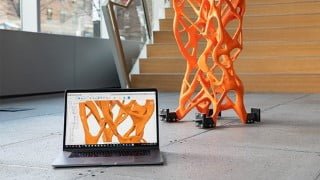

Learn about Fusion 360, a cloud-based 3D CAD, CAM, CAE, and PCB software. Discover Generative Design, a process that shapes designs based on desired goals. Reduce weight, increase strength, and improve performance. Solve complex engineering problems and explore design alternatives. Ideal for industrial product designers, analysis engineers, and those interested in design and technologies.
What you’ll learn
- Course Introduction Video
- What is Fusion 360?
- Design and Analysis with Fusion 360
- What We’ll Learn with the Course
- What is Generative Design?
- Important Differences Between Generative Design and Topology Optimization
- Using Generative Design in Fusion 360
- Examining the Features of the Target Design
- Tips for Your Custom Design Projects
- Creating a New Generative Design Project
- What are Preserve Geometries?
- What are Obstacle Geometries?
- Starting Shape and its Features
- Specifying Constraints
- Specifying the Forces Affecting the Part
- Specifying Criteria for Generative Design
- Examining the Fusion 360 Material Library
- Creating Custom Materials
- What are Material Features?
- Demonstration 1 – Choosing Materials for The Part That We Will Manufacture
- Examining Manufacturing Methods
- Introduction to Manufacturing Methods with Generative Design
- Additive Manufacturing
- Manufacturing with Milling
- 2-axis Cutting and Casting Methods
- Choosing a Manufacturing Method with Generative Design
- The Importance of Parameters for Your Custom Projects
- Changing Parameters
- Exploring Possible Design Outcomes with the Explore Tool
- Design Classification
- Reading Tables with Scatter Plot
- Comparing the Designs We’ve Selected
- Tips for Selecting the Optimum Design
- Demonstration 2 – Determining Forces for Our Project
- Selecting Materials and Manufacturing Method for the Project
- Determining Design Goals
- Examining Possible Outcomes with Preview
- Transferring the Outcome to the Design Area
- Examining Form Modelling Techniques
- Usage Fields and Future of Generative Design
- End
Show moreShow less
Fusion 360 is cloud-based 3D CAD, CAM, CAE and PCB software. You can use all these features through a single interface. At the end of the course, you can model the concept ideas of your dreams by working quickly and flexibly with the easy-to-use 3D CAD CAM CAE software Fusion 360 and finalize these models using “Generative Design” technology. Generative Design technology will shape your designs according to the production methodology you want. At the end of this process, you will witness that your final model will reduce the weight, while the strength will increase compared to the past and its performance will improve. Thanks to Fusion 360, which contains more than one module in a single interface, you will be able to perform many operations with a single software.
What is Generative Design?
Generative Design is a design discovery process. designer or engineer; Input the design goals with the help of parameters such as performance, material, cost and manufacturing method. Using the power of the cloud, the software calculates all possible possibilities of the solution and generates design alternatives. It tests the result at each iteration, learning what works and what doesn’t.
Productive design users can solve complex engineering problems with this technology, such as:
Assembling parts by reducing the total number of parts and components;
Reducing the weight of parts and components by using the least amount of material to make the parts as effective as possible;
Increasing performance by designing stronger parts and components.
Examine cloud-generated design results based on visual analogies, drawings, and filters powered by machine learning
You can continue your other work while the Generative Design solution is implemented on the cloud.
Who this course is for:
- Industrial Product Designers
- Analysis Engineers
- Those interested in design and technologies
- 3D Designers
User Reviews
Be the first to review “Generative Design with Autodesk Fusion 360”
You must be logged in to post a review.





There are no reviews yet.