
Getting Started With Portrait Retouching in Photoshop
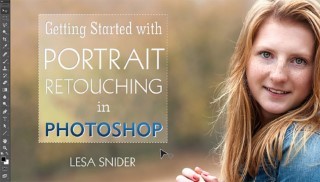

Learn fast and easy Photoshop® techniques that bring out the beauty in every subject, including flawless skin, perfect hair, bright eyes and more.
Class Preview
Learn fast and easy Photoshop® techniques that bring out the beauty in every subject, including flawless skin, perfect hair, bright eyes and more.
Introduction & Solving Skin Problems
Meet renowned instructor Lesa Snider and preview the essential techniques you’ll learn to retouch your portraits. Then, see how to effectively use the healing tools to remove and soften imperfections, and get an introduction to keyboard shortcuts, which will vastly improve your workflow.
Enhancing Skin
Enhance skin without losing texture while working with Adobe’s Camera Raw plug-in. Watch as Lesa pairs adjustment brushes with filters not normally associated with sharpening, provides a helpful rhyme for working in layer masks and finishes with a primer on glamour glow.
Lightening Teeth & Hair
Whitening teeth can be challenging in real life, but it’s a snap in Photoshop with Lesa’s guidance. Brighten and lighten by targeting the saturation of individual colors, rather than the whole palette. You’ll also learn how to lighten hair for natural-looking results.
Enhancing Eyes
Eyes are the focal point of most portraits. Lesa shows you her trusty techniques for brightening the whole socket, irises and the whites of the eye to make your images shine. Plus, find out tips and tricks for subtly removing unwanted blood vessels.
Pupil Fixes for People & Pets
Discover how to remove red-eye with ease. Lesa walks you through the process of retouching even the most stubborn cases. Planning on shooting portraits of your pets? Find out how to rebuild pet pupils by starting with an unlikely selection tool.
Converting to Black & White
Expand your repertoire to include black-and-white photography. Lesa runs through a quick and easy way to convert your color images to black and white. Then, see how to undo your work — either halfway for a partial restore, or on specific objects — to add an eye-catching pop of brightness.
Sharpening & Vignettes
Learn how to add the right balance of sharpness to your portraits as Lesa shows you how to enhance your images while avoiding the unwanted sharpening halo. Practice both global and selective sharpening before employing Lesa’s favorite finishing touch.
User Reviews
Be the first to review “Getting Started With Portrait Retouching in Photoshop”
You must be logged in to post a review.



There are no reviews yet.