
Graphics Design Masterclass

Learn all the skills and techniques needed to become a professional graphic designer. This course covers logo design, branding, Photoshop editing, and more. Start your career in graphic design today!
What you’ll learn
- In-depth knowledge of Graphics Design
- Students should get ready to learn logo design, branding techniques and execution
- Photoshop editing and manipulation
- Students would be able to sharpen the Design skills at the end of this course
- Start your carrier as freelance graphic designer
- Working as a graphic designer in different sectors
- Learn Photoshop from the very beginning to being a professional
- You’ll learn how to place text and graphics into products (mockups)
- You will learn how to properly align layers for precise, clean, professional design layouts
- You will have intermediate to expert level knowledge of graphic design theory that you will immediately be able to apply to your career, job, hobby, or company.
- Be able to create images for a full digital marketing campaign, including Facebook, Instagram and more.
- Understand how to use more intermediate tools in Adobe Photoshop and Corel Draw
- Work through an event flyer design to understand strong type hierarchy, balance and overall design layout
- Color combinations and how to use colors in design effectively
- Combining vector shapes to use them in logos and graphics
- At the end of this course, you should be bold enough to call yourself a professional Graphics Designer
Show moreShow less
Graphics Design Masterclasss
Do you want to learn all the skills and techniques you need to create amazing designs and willing to make Graphics design a profession?
Do you want to know the process of creating logos, branding packages and lots more?
Are you intimidated by learning the Basics of Graphics Design to the level of being a professional?
Are you willing to learn through practical real world projects? Then This class is definitely for you!
In this class, we will be using Corel Draw and Adobe Photoshop for Learning.
Why Corel Draw?
If you’re looking for a software that is user-friendly and you can easily create logos, business cards or flyers, Corel Draw is the best answer. Corel DRAW is used by professionals across the world for every promotional material, such as posters, roll-up banners, business cards, brochures or logos.
Corel Draw will cover everything you need to know to start working on your graphic design files, including:
Knowing how to create document to start with a design
Creating shapes to be used in your layout
Combining shapes to create logos and graphical elements
Using custom color palettes
Editing text and installing fonts
Aligning and grouping objects
Importing and cropping images
Now moving to Photoshop;
We also learn the basics of Adobe Photoshop and do projects with real world applications. Every designer needs to know and master this application and this course makes sure you know the essential tools to power through amazing projects.
In Adobe Photoshop, we will review photo editing and manipulation techniques like how to cut objects out, duotones, changing color on objects, the liquify tool and we will create a compelling YouTube thumbnail with our newly learned photoshop skills as well as an entire book cover design project.
In this course of each sections we will extensively review Typography, color theory, layout and composition, how to use photos in design, photo manipulations and editing and magazine layout design, branding and logo design just to name a few.
In Summary, these are things we will learn at the end of this course:
Logo Design
Design Composition & Theories
Print & Editorial Design
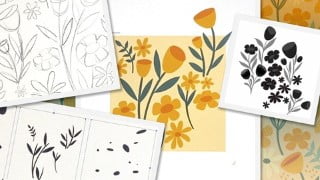
Pattern Design and Illustration
Package Design
Presenting Designs in real life situation
Branding Design and Process
Social Media/Digital Graphic Designer
Mentorship
By the end of this class you will have a solid grasp of what each design niche entails. You will have confidence in choosing your career path to kickstart or enhance your design offerings and know what to learn next.
Who this course is for:
- This course is aimed at anyone who wants to get into the creative industry and gain a rock solid foundation of Graphics design as a course or profession
- Computer savvy
- Content creator/Digital marketer
- Copywriter
- Freelancer
- High school students with the zeal to take Graphics Design as a Major.
- Web developers willing to also know more about Graphics Design
- It can be useful for experienced Corel Draw and Photoshop users too as there are many self-taught users who are missing out on a lot of techniques and features
- Anyone with passion for artistry designs and willing to learn more
- Those looking for a solid graphic design foundations course with the depth of being a professional in the field
- Anyone interested to earn a living with this course and to make a profession out of it
- Those wanting to understand Graphic Design basics and theory paired with real world projects and applications
- Those willing to learn logo design and branding techniques and execution
- Those with basic skills of Graphics design and willing to increase their knowledge in the area of logo design, branding, Photoshop editing and manipulation
- Anyone wanting to become a graphic designer either part-time or full-time, or those who need design skills to elevate their current careers.
User Reviews
Be the first to review “Graphics Design Masterclass”
You must be logged in to post a review.




There are no reviews yet.