
How to Shoot a Dynamic Timelapse and Hyperlapse
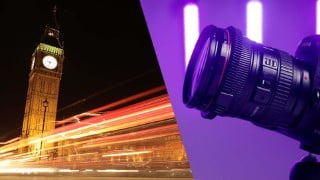

Learn how to capture stunning time-lapses with this course. Add motion blur, movement, and edit with Adobe software. Perfect for video editors seeking to elevate their projects.
What you’ll learn
- You will learn how to capture beautiful timelapses
- Take advantage of slow shutter speed to add motion blur to your videos
- Add movement with motion timelapses and hyperlapses
- Edit your time-lapse with Adobe Lightroom, Premiere & After Effects
Adding time lapses into your project can elevate your project and add a splash of character, but what are they? And how do we capture them? Time lapses are visually dynamic pieces of video content that are meant to show the passing of time. You can have a simple, static time-lapse or you can mix it up a little and play with long exposure or even add movement to your time-lapse to create a motion time-lapse or hyper-lapse. Time-lapses can be beautiful! They just require a bit of work to get right and there are a few things that you need to look out for to avoid making common beginner mistakes.
In this course, I will first start off by talking about what a time-lapse is, how we can prepare for a time-lapse and what to look out for, then I’ll run you through how to shoot a static time-lapse, add long exposure into the mix then add movement. The course will finish with the editing process. I will show you how to edit your image files in Adobe Lightroom Classic then import those image sequences into Adobe Premiere Pro and After Effects.
So, grab your camera and let’s capture some dynamic time-lapses!
Who this course is for:
- This course is perfect for those looking for a way to bring character to their video edits.
User Reviews
Be the first to review “How to Shoot a Dynamic Timelapse and Hyperlapse”
You must be logged in to post a review.





There are no reviews yet.