
How to start with Cricut Design Space from A – Z
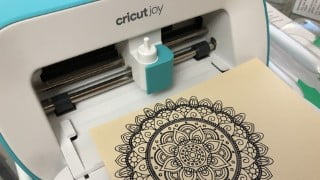

Learn how to use Cricut Design Space step by step with this beginner-friendly course. Connect your mobile device via Bluetooth, explore new features like Offsets and Collections, and master essential techniques such as grouping, slicing, welding, and more. Create practical projects and even start your own home-based business. Perfect for crafters and beginners interested in Cricut machines. Start crafting and stay safe during the pandemic!
What you’ll learn
- How to use Cricut Design Space Step by Step
- Setting up machines
- Cricut Joy, Explore Air 2 or Cricut Maker setting up in a breeze
CK Choo an Ambassador of Cricut for Malaysia has put up a list of course and easy to follow to those who like to learn more of their recent purchase of Cricut machine. We like to go through step by step on how to use all its features and which Cricut just released their new features on Cricut Design Space such as Offsets and Collections.
As a start we will teach how to connect your mobile device using Bluetooth to Cricut machine and Updates.
The course covers topic like How To: Use group, ungroup, duplicate multiple images, Slice feature, Weld characters to form a word, How to use Attaching and detach, How to use Flatten feature and Selecting any part of the image like Contour.
Projects will be done using various feature for practical daily use like creating a tag, Offsets on Text and Offsets on images both new features will be taught as well.
Bonus lesson like step by step How to use doodling pen to create a card. Images from Cricut Design Store. You may follow the steps as it was done live and unedited.
This course is tailored to beginner who just don’t know how to start using the program and it works with Cricut Joy , Cricut Explore Air 2 and Cricut Maker. I am sure by the end of the course you will be able to figure and positive whether you are a crafter or you may be able to start your own home based business during this pandemic period. Stay Safe and happy crafting!
Who this course is for:
- From the very beginner onwards who’s interested to know more on Cricut machines
- Whether a crafter or wannabe home business we will guide you through.
User Reviews
Be the first to review “How to start with Cricut Design Space from A – Z”
You must be logged in to post a review.




There are no reviews yet.