
How to use & draw on Procreate for Beginners

Prepare for your Solid Works interview with this comprehensive course containing all possible interview questions and answers. Boost your confidence and sharpen your knowledge with self-explanatory questions and multiple-choice practice tests. Ansys Mechanical, a dynamic platform utilizing finite element analysis, is also covered. Suitable for those wishing to enhance their skills and those preparing for job interviews. Get a fair idea of the questions you may encounter and gain the confidence you need.
What you’ll learn
- Learn the tools of Procreate
- Step by step drawing on Procreate
- Best brushes to start with
- Tips and advice
Have you wanted to know how to draw using Procreate on the iPad? Have you just got the app but now feel overwhelmed with how to use it and where to start? Then this class is for you!
What’s included:
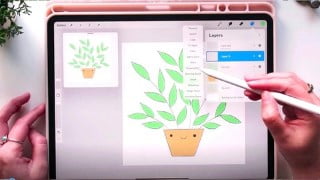
This course covers everything you need to know to get started. I will go over how to organise your drawings, navigating layers, I share the best Procreate brushes to get started with, applying colours and adding effects.
Then we will go through a drawing start to finish including the sketch, adding line art, flat colours, final details, plus lots of tips along the way. You also get a welcome document with some extra resources and links and you also get a FREE download of my custom Texture brush I use in the class. (only available for those who take my course)
Introduction video and overview of what’s included in the class
15 tutorial classes
Final say
Welcome Document with resources and links
1 FREE Procreate texture brush
After taking this course you will have the confidence and skills that you need to use Procreate. You can then start creating your own digital drawings right away and begin your new art journey with Procreate. I am so excited to help you get started on your Procreate journey, I’ll see you in the first class! 🙂
Who this course is for:
- Beginner Artists wanting to learn how to use Procreate and avoid feeling overwhelmed
User Reviews
Be the first to review “How to use & draw on Procreate for Beginners”
You must be logged in to post a review.





There are no reviews yet.