
iMovie Tutorial for Mac – The COMPLETE Beginner’s Guide 2023
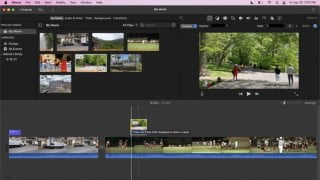

Learn how to install and use iMovie, a free video editing application by Apple. Create professional-looking videos without any editing experience. This course covers everything from downloading and installing the software to adding transitions, music, and titles. Perfect for beginners with an Apple laptop, iPhone, or iPad. Join now and start editing like a pro!
What you’ll learn
- How to Install iMovie
- Create a Project
- General Overview of the Platform
- Importing Media
- Basic Editing
- Adding B-Rolls
- Adding audio
- Adding Titles
- Adding Background
- Adding Transitions
- Color correction
- Extras
- Exporting videos
Show moreShow less
iMovie is a free video editing application made by Apple for the Mac, the iPhone, and the iPad. It includes a range of video effects and tools like color correction and image stabilization but is designed to be accessible to users with little or no video editing experience.
With iMovie, create professional‑looking videos without an editing degree. Easily add photos and videos to projects, trim clips with your finger, and add seamless transitions.
On iOS and iPadOS, iMovie is preinstalled by default, though you can remove it and reinstall it from the App Store. It requires iOS 15.3 or later. I tested this version of iMovie on an iPhone X and a standard iPad (2019 version). Though Apple has worked to keep the desktop and mobile versions in sync, there are feature differences, discussed below in the mobile section.
This course is designed for beginners with zero experience in video editing.
By the end of the course, you will learn:
1. How to Download and Install the Software
2. How to Create a Project
3. The General Overview of the Platform
4. How to Import Media
5. How to do Basic Editing
6. How to add B-Rolls
7. How to add Music and Sound Effects
8. How to add Titles
9. How to add Backgrounds
10. How to add Transitions
11. How to do Colour Balancing and Corrections
12. Other Extra Features
13. How to Export Videos in Different Formats
All you need to start this course is an apple laptop, iphone or ipad with the iMovie software installed.
Thank you for joining and I look forward to meeting you in class.
Who this course is for:
- Beginners
User Reviews
Be the first to review “iMovie Tutorial for Mac – The COMPLETE Beginner’s Guide 2023”
You must be logged in to post a review.





There are no reviews yet.