
Intermediate – Advanced Course in Affinity Publisher V1 & V2
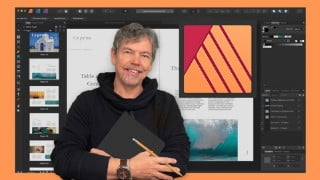

Learn intermediate and advanced features of Affinity Publisher, including working with tables, using data from Excel, creating a Table of Contents, and more. This course is perfect for those seeking an alternative to Adobe InDesign and want to create stunning layouts for print, web, and social media projects. Boost your productivity with master pages, custom styles, and advanced shape techniques. With Affinity Publisher, you have the power to create beautiful publications with ease. Join this course and unleash your creativity today!
What you’ll learn
- An in-depth look into the intermediate and advanced features of Affinity Publisher
- How to work with tables
- How to use data from Excel in your tables
- How to create a Table of Contents
- Work faster and smarter with Master Pages
- Speed up your work process using custom styles
- Learn advanced shape techniques as well as working with the pen tool
- Understand how to preflight your document
Welcome to my Intermediate to Advanced Course in Affinity Publisher V1 & V2
(Please note this was originally for Version 1 and there has now been a new release, V2 for which I have added updates. V2 is very similar and there are very few differences that you’ll notice when doing the course. You will of course notice that the icons are now in color where they were previously in black and white. Functionally they are still the same).
You need a basic working knowledge of Affinity Publisher to take this course. Affinity Publisher is one of the best publishing pieces of software around and a strong (and more affordable) contender for Adobe InDesign.
It allows you to create beautiful books, magazines and marketing materials through to social media posts, website mockups and a variety of other projects. This modern publishing app gives you the power to combine beautiful type, exciting images and amazing graphics to create stunning layouts ready for publication.
It has an easy-to-use interface to help you work in a fast and intuitive way.
The course includes the following:
An in-depth look into the intermediate and advanced features
How to work with tables
How to use data from Excel in your tables
How to create a Table of Contents
Work faster and smarter with Master Pages
Speed up your process using custom styles
Learn advanced shape techniques as as working with the pen tool
Understand how to preflight your document
Exciting projects to help you remember and put into practice what you’ve learned
With powerful features like master pages, tables, text flow and professional print output and other awesome features, Affinity Publisher has everything you need to create the perfect layout – whether it’s for commercial printing, home printing, web or social media projects.
Who this course is for:
- Those who would like an alternative to Adobe InDesign
- Those who would like to learn more about Affinity Publisher
- Those who want to create their own or edit existing newsletters, brochures etc
- Those who would like to create exciting social media posts
User Reviews
Be the first to review “Intermediate – Advanced Course in Affinity Publisher V1 & V2”
You must be logged in to post a review.





There are no reviews yet.