
Intro to Adobe Lightroom
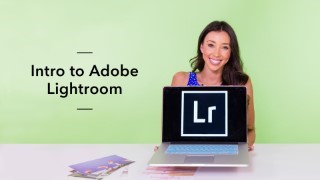

In this class from our partners at Brit & Co., learn how to edit your Instagram and blog photos in Adobe Lightroom.
Class Preview
In this class from our partners at Brit & Co., learn how to edit your Instagram and blog photos in Adobe Lightroom.
Introduction
Get a quick overview of everything you’ll be covering in this class, and learn more about your instructor, Sakura, co-founder of Bloguettes.
Importing Photos
Sakura teaches you how to import your photos to Adobe Lightroom.
Library Module
Now that you’ve imported your photos, it’s time to learn how to use the library module in Adobe Lightroom.
Basics of Editing in the Develop Module
Sakura walks you through the develop module, which is where you’ll edit your photos.
Editing With Presets
Make editing super easy with presets. In this lesson, you’ll learn how to create settings that you can apply to all your photos at once.
Local Adjustment Toolbar
Use the local adjustment toolbar to crop, remove spots, and add filters to your photos.
I’m Done Editing. Now What?
Sakura teaches the fastest and easiest ways to export your photos. Plus, get Sakura’s insider tips and tricks on how to continue editing photos like a pro.
User Reviews
Be the first to review “Intro to Adobe Lightroom”
You must be logged in to post a review.





There are no reviews yet.