
Intro to Chromebooks
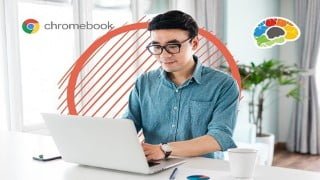

Learn how to set up and navigate your Chromebook with ease. This course covers everything from distinguishing Chromebooks from other devices to customizing your device. Perfect for new users, you’ll also learn how to work with apps, files, and even add printers or devices. Start your Chromebook journey today!
What you’ll learn
- Distinguish between a Chromebook and other types of devices
- Set up a new Google account
- Log into your Chromebook and navigate the interface
- Navigate using the mouse, keyboard and touchscreen
- Use Search and the Search Assistant
- Work with apps, extensions, and files
- Add a printer or device
- Change settings and customize your device
Learn everything you need to know about getting started with your new Chromebook!
Chromebooks are a popular and easy way to access the internet, and this course will have you up and running quickly. If you don’t have a Google account we’ll show you how to create one, and then use it to log in to your Chromebook. In addition to learning how to navigate the interface, successfully work with apps and files, and customize your settings, you’ll also learn lots of tips and shortcuts along the way that will enhance your experience.
Whether you are using a Chromebook for personal, school, or work purposes, Chip and Andy will guide you through the steps to set up and navigate your device with confidence.
Topics covered include:
Discussing the advantages and disadvantages of a Chromebook
Setting up a new Google account and logging in to Chromebooks
Navigating the interface using the keyboard, mouse, and touchscreen
Using Search and the Google Search Assistant
Working with apps, extensions, and files
Setting up printers and devices
Customizing your Chromebook
Objectives, you will be able to:
Distinguish between a Chromebook and other types of devices
Set up a new Google account
Log into your Chromebook and navigate the interface
Navigate using the mouse, keyboard, and touchscreen
Use Search and the Search Assistant
Work with apps, extensions, and files
Add a printer or device
Change settings and customize your device
Who this course is for:
- New users of Google Chromebooks


There are no reviews yet.