
Learn All About macOS Monterey
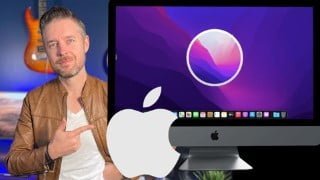

Learn all about the Mac and macOS Monterey in this hands-on course! Whether you’re a beginner or looking to switch from Windows, we’ll cover everything from navigating the desktop to using key applications. No expertise required, just a Mac running macOS. Start your Mac learning journey today!
What you’ll learn
- The Mac and macOS Monterey Basics
- Working with Files and Folders
- Applications you need to use
- How to use the Internet and send Messages
- Making video calls from your Mac
- How to customize the look & feel of your Mac, making it work for you!!
My name is Emilio, and I am a Technology Trainer and have been a macOS professional for over 20 years.
In this course we are talking about all things Mac, specifically macOS Monterey! Whether you already have a Mac, thinking about getting one, or looking at switching away from Windows, we’ll help you get started, giving you an overview on all things Mac.
In this course we’ll cover include –
An overview of the Mac and macOS Monterey
How to use the Desktop and navigate around a Mac
How to perform key functions on a Mac
Providing an overview on key applications, including Notes, Safari, Music, TV, Calendar and more
How to make your own Music, Manage your Photos, and create awesome Movies
How to change the look and feel of your Mac
Do I need to be an expert?
This course is designed for people who may never have used a Mac before, or people who have just started out. You don’t need to be an expert.
What software do I need?
Ideally a Mac running macOS. We’ll be demoing most features on macOS Monterey which was released towards the end of 2021, but if you are running a different version of macOS, then that’s fine too.
Why this course?
This course will be easy to understand, and is great because it will be hands on, so you can easily follow along if you can.
We’ll be giving you the foundations and essential skills on using a Mac, but from here your Mac learning journey has only just started!
You’ll soon start to see why so many people love Mac’s and why they are so popular!
Who this course is for:
- Anyone wanting to learn more about the Mac
- Those using macOS Monterey for the first time
- Microsoft Windows users looking to switch over
User Reviews
Be the first to review “Learn All About macOS Monterey”
You must be logged in to post a review.



There are no reviews yet.