
Learn how to take and edit stunning photos with your iPhone
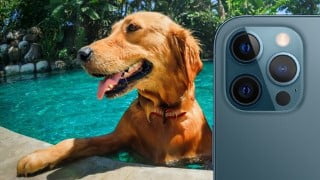

Learn how to maximize the potential of your iPhone camera with this comprehensive course. From pre-shooting setup to editing techniques, discover tips and tricks for capturing stunning photos. Perfect for new iPhone users, amateur photographers, and pet owners, this course offers practice prompts and expert feedback. Enhance your photography skills and stay updated with the latest iPhone features. Join now and unlock the full potential of your iPhone camera.
What you’ll learn
- Pre-Shooting setup
- Ways to open your iPhone quickly
- How to turn on the Camera Grid
- How to focus perfectly
- How to take photos of your pets
- How to get your pets to pose for photos
- Outdoor Photography tips
- How to use the additional iPhone settings
- How to use burst mode
- How to use HDR with your iPhone Camera
- How to use the Portrait mode
- How to use angles in your photos
- How to plan the perfect composition for your photos
- How to get the perfect lighting for your photos
- iPhone photography add ons
- How to edit the lighting of your photos
- How to edit with Snapseed of your captured photos
Show moreShow less
Follow along with this multi-module course about all the settings of your iPhone camera, tips and tricks for capturing photos with your iPhone, and photo editing techniques. Course complete with practice prompts and a talented support team to offer feedback on your submissions. Continued support as additional features and devices are released.
Full course curriculum is as follows:
Basics of the iPhone camera
Pre-shooting setup
How to hold your iPhone camera
Quick ways to open the iPhone camera
How to turn the camera grid on
How to get the perfect focus for your photos
Additional iPhone settings
How to use the additional camera settings
How to use the burst mode
How to take advantage of HDR
How to use portrait mode
The pillars of great photograph
The angle
The composition
The light
Extra equipment to make your iPhone an even better camera
How edit your photos
Editing with Lightroom
Editing with Snapseed
BONUS Content! How to take great photos of your pets
Capturing photos of your dog
Capturing photos of your cat
Outdoor photography tips
BONUS content! iPhone 12 additional features
Alongside these learning modules, take advantage of thought provoking assignments that accompany many of the learning content modules to put into action what you have learned. Also, take advantage of our professional support team who will support and offer feedback around your assignment submissions.
Who this course is for:
- People who want to take better photos with their iPhone
- New iPhone Users
- Amateur Photographers
- Pet Owners
User Reviews
Be the first to review “Learn how to take and edit stunning photos with your iPhone”
You must be logged in to post a review.




There are no reviews yet.