
Learn Premiere Pro in 1Hr ( 2022 version )
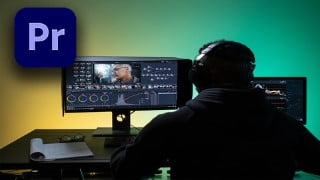

Learn how to create professional cinematic videos with Adobe Premiere Pro. This Premiere Pro Essentials course will quickly get you up and running, even if you’ve never used Premiere before. With step-by-step instruction and hands-on practice, you’ll learn the most important features and how to use them in real-world applications. Perfect for video editors and YouTubers looking to enhance their skills. Start creating amazing videos today!
What you’ll learn
- Video editing
- Adobe Premiere Essentials
If you are looking for a video editing software that will allow you to create professional cinematic videos. Adobe Premiere Pro is the answer. Premiere Pro is used by thousands of professionals across the world for every type of production from wedding videos, music videos, YouTube vlogs, documentaries to feature films. If you are stuck for time and want to learn this as quickly as possible This Premiere Pro Essentials course is the best way get you up and running in no time! Even if you have never opened Premiere before, It’s not a problem.
We have taken all the “fluff” and filler out so that you get straight to the meat of learning how to create amazing videos.
You will learn step by step the most important features and how to use them in real world applications.
What makes me qualified to teach you?
I have been involved with training and making videos for 3 decades. I have created training and on demand video training since the only option was video CD’s!
I have worked for Global companies across the world to set up training programs that were all visually based training.
The techniques we will show you allow you to practice with different clips so that you become a pro at them.
This training will really get you up and running as quick as possible.
To get the most out of any training is repetition. At the end of each chapter, practice the techniques shown until you feel comfortable.
Hands on really is the best way to cement the new things you will be learning.
All clips used in the training are provided for you to use.
Chapter 01 Opening premiere for the first time.
Chapter 02 Workspaces and how to use them.
Chapter 03 Importing media.
Chapter 04 Creating a sequence.
Chapter 05 Moving media into the timeline.
Chapter 06 Editing your movie.
Chapter 07 Using the source panel.
Chapter 08 Color correction & grading explained.
Chapter 09 Add music and sound effects.
Chapter 10 Adding Titles & Text effects
Chapter 11 Exporting your finished movie.
Thanks again for checking out my courses
Regards
Bill
Who this course is for:
- Video editors
- You Tubers
User Reviews
Be the first to review “Learn Premiere Pro in 1Hr ( 2022 version )”
You must be logged in to post a review.


There are no reviews yet.