
Learn the latest full version on Cricut Design Space 6.7.201
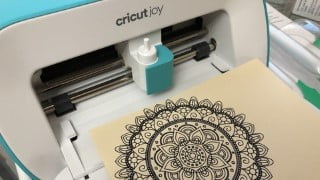

Learn how to become an advanced user of Cricut machines with this complete guide. Discover the latest updates, download and upload images, use auto tracing, weld feature, offsets, and more. Perfect for beginners and those new to the Cricut environment. Start your creative journey today.
What you’ll learn
- Cricut Design Space Latest Updates
- Updated Current Version 6.9.163
A complete guide for Cricut Joy, Cricut Explore Air 2 and Cricut Maker and assignment attached will make you a more advance user after you completed the course. For this version 6.7.201 – 2 Beta version on Offsets and Collection included. How to download images (jpg, png and svg) from the internet and upload to your Cricut ID. Using auto tracing to create cut line file. For text we will download font from internet and install to our system to sync to Design Space and use them instead of your choice. How to use weld feature, rotating and resizing on a text. Plus creating a circle sentence using some hidden advance feature. Using Offsets on a welded text and offsets within another offsets. Offsets can be on a basic shape as well how to adjust the offsets border size. A rundown of functions where Cricut Joy and Cricut Maker can do and more. A combination of Slice and Contour feature added on a project for more advance use you do not want to miss this part and how to amend basic shapes on a downloaded image from Design Space. Not forgetting Print Then Cut as well at the end of the assignment where we creating a tag where both function Print Then Cut and basic cut on the same tag or cut within a cut. The projects use a few functions and features on how to combining everything up to create something very different from the original.
Who this course is for:
- A beginner and new to Cricut environment
- Just don’t know where to start here’s the guide
User Reviews
Be the first to review “Learn the latest full version on Cricut Design Space 6.7.201”
You must be logged in to post a review.





There are no reviews yet.