
Learn Windows Server 2022 (AD, DNS, GPO) Be a Great Admin!
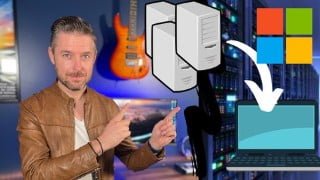

Learn all about Windows Server 2022, Active Directory, DNS, and Group Policies in this comprehensive course. Perfect for IT professionals and beginners, you’ll gain the necessary skills to become a proficient administrator. Understand the differences between physical, virtual, and cloud servers, configure a Windows 2022 Server, set up Active Directory, and create Group Policies. Strengthen your Windows Server knowledge and advance your career with this easy-to-understand course. Start your learning journey today!
What you’ll learn
- What is a Server and why they’re important
- Differences between Physical and Virtual Servers
- Where to download Windows Server 2022
- How to setup and configure Windows Server 2022
- Learn all about Active Directory
- Basics of DNS and different DNS records
- Setup and configure your own Group Policies
So do you want to learn all about Windows Server 2022? What about Active Directory, DNS and Group Policies on Server 2022? Well this course will be perfect for you!
You’ll learn some of the most used Server technologies, as well as the skills needed to setup and use Windows Server, Active Directory and Group Policies like an admin pro!
We’ll also cover what Servers are, talk about Physical, Virtual and Cloud Servers, along with the basics of DNS and DHCP.
If you are new to tech or have been in tech for a while, these are foundational skills you need to know to be a great administrator!
What we’ll be covering in this course
Physical vs Virtual vs Cloud Servers
Configure a Microsoft Windows 2022 Server
What are Domains and Active Directory (AD)
Building an Active Directory Domain Controller
Using and configuring Active Direcotry (AD)
Get computers on a network talking to and connected to the AD Domain
Understand Group Policies (GPO’s)
Create various GPO’s
How to Setup and Install a Domain Controller, and AD tools
What is DNS and why you need it
Setting up a DHCP Server
Do I need to be an expert?
No, this course is designed for people who are excited about tech and administering tech! You may be new or have worked in tech for sometime. We’ll provide you the skills to help you move up in your career and gain the skills needed to be a great IT administrator!
Why this course?
This course will be easy to understand, and will give you an overview of the necessary Windows Server skills that you need to know.
This course will give you the essentiual skills to strengthn your Windows Server learning, the journey starts from here!
Who this course is for:
- IT Technicians
- Systems Administrators and Engineers
- Desktop and Support Analysts
- People wanting to learn more about IT
- Those starting out in technology
User Reviews
Be the first to review “Learn Windows Server 2022 (AD, DNS, GPO) Be a Great Admin!”
You must be logged in to post a review.




There are no reviews yet.