
Lightroom Essentials: The Develop Module
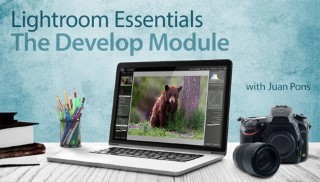

Get the most out of the Develop Module in Adobe Lightroom®. Discover the secrets to beautifully enhanced photographs and cut your editing time in half!
Class Preview
Get the most out of the Develop Module in Adobe Lightroom®. Discover the secrets to beautifully enhanced photographs and cut your editing time in half!
The Lightroom Advantage
Meet your instructor, professional photographer Juan Pons, and preview the techniques you’ll learn to efficiently develop and enhance your images. Gain insight into how Lightroom’s nondestructive editing works, and become familiar with the sliders, menus and tools that will streamline your workflow.
Editing Basics
Learn how to enhance important aspects of your images. Juan illustrates simple ways to color correct any scene. Discover how to adjust exposure and dynamic range, revealing details in the highlights and shadows. Then, punch up your photos even more with Juan’s tips for applying vibrance and saturation.
History, Snapshots & Presets
Discover quick and easy ways to simplify the editing process. Get in-depth instruction on how to track every edit with the history panel. You’ll also learn time-saving tips for saving specific settings and adjustments using the snapshots and presets features. Plus, Juan shares a simple way to compare the before and after version of an image.
Cropping & Local Adjustments
Delve deeper into the features of the Develop Module. Find out how to easily crop and straighten your images, then practice removing unwanted objects and blemishes with the clone tool. In addition, learn how to fine-tune specific areas of your photographs without affecting the entire frame.
Enhancing Effects & Corrective Alterations
Want to make your photos truly shine? Juan shares simple and effective techniques for adding dimension to any image. See how to adjust specific colors within a scene and how to correctly apply the sharpening tool. Continue to refine your images by learning how to reduce noise and apply lens and perspective corrections.
Creative Transformations
Get your creative juices flowing by experimenting with a variety of visual effects. Discover how to transform color images into beautiful black and white photographs. Then add more drama and impact to your scenes with the split toning tool. You’ll also see how to emphasize your subject matter as you add vignetting.
Batch Editors & External Programs
Streamline your workflow even more with Juan’s helpful tips and tricks. You’ll see how to apply the exact same settings and adjustments to multiple images at once. In addition, Juan demonstrates how to seamlessly work between Lightroom, external editing software and third-party plug-ins.
User Reviews
Be the first to review “Lightroom Essentials: The Develop Module”
You must be logged in to post a review.





There are no reviews yet.