
Logo design: Bear mascot adobe illustrator cc
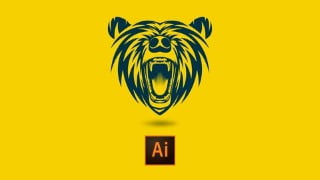

Learn how to design a professional mascot bear logo step by step using Adobe Illustrator. Perfect for freelancers, graphic designers, and logo design learners. Create unique and eye-catching mascot logos for your own brand or clients. No specific device or software version required. Suitable for beginners with basic knowledge of Adobe Illustrator or the pen tool. Join this short and easy course to enhance your logo design skills and unleash your creativity. Ideal for website developers, students, and anyone interested in mascot logo design.
What you’ll learn
- Learn how to design mascot bear logo step by step easy way
- Professional mascot logo design project for social media/brand/website etc…
- Best course for logo design learner and freelancers
- Use of adobe illustrator software to design logo
- Mascot logo design quickly and easily
- Step by step process of bear logo design techniques
Professional bear mascot logo design quickly and step by step
Learn mascot bear logo design in adobe illustrator step by step. If you are familiar with adobe illustrator then this course is for you or if you are familiar with the pen tool then that will be fine Because I will mostly use the Pen tool to draw shapes and some other tools but you can also use Adobe Photoshop if you have basic knowledge of it but I prefer adobe illustrator.
This course is very simple and easy to understand. You will learn a fast and quick way to draw the unique shapes of the bear logo and then you can apply some techniques to create different kinds of shapes on different animals to create a mascot logo for your own business or for your client. This course especially helps full for students who are working as freelancers or want to work as freelancers in the logo and graphic design field.
This course is very short less than 1 hour but it is a unique and quick way to create a bear mascot logo.
Is this course for everyone?
Yes everyone can join that course including:
1. New students who prefer little a bit knowledge of adobe illustrator
2. Freelancers
3. Graphic designer
4. Logo design learner
5. Adobe illustrator learner
6. Working with pen tools and others
7. Businessman
8. Passion for knowledge
9. Unique techniques learners
10. And everyone can join that course
What you will learn?
You will learn mascot logo design techniques where I will show you how you can design a bear mascot logo design and then you can create your own unique and box different mascot logos using different animals for different brands or your own brand. I will mostly use the pen tool and Pathfinder tools using adobe illustrator.
What software requirements are for that course?
Adobe Illustrator software requires for that course. It does not matter what version you are using. It can be cs 2022, 2021,2020,2019,2017 or cs3,cs4,cs5,cs6 etc…
Does any specific device require watching a video course?
You may be using compute/laptop/Andriod/iso etc…
Who this course is for:
- Want to build mascot logo for your own website or social media or for your clients
- Designers
- Freelancers
- Graphic designers
- Logo design learner
- New learner students
- This course is for everyone
- Housewife’s
- Business man
- Website developers to create own logo
- I.T students who want to learn mascot logo design
User Reviews
Be the first to review “Logo design: Bear mascot adobe illustrator cc”
You must be logged in to post a review.





There are no reviews yet.