
Mastering Microsoft windows 10
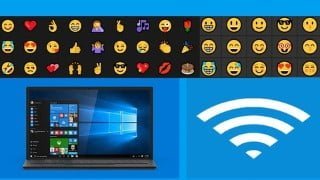

Learn the basics of Windows 10, including File Explorer, Taskbar, and Action Center. Discover how to organize and find your files, redesign the desktop, and navigate the Start Menu. Whether you’re a beginner or intermediate user, this course covers everything from A to Z, including secret tips and tricks. Explore features like inserting emojis, transforming your device into a WiFi hotspot, and utilizing Cortana, the voice-activated personal assistant. With enhanced security features like Windows Defender and Smart Screen, Windows 10 is the safest Windows system ever. Suitable for all Microsoft Windows users.
What you’ll learn
- Understand Windows 10 Basics
- Understand File Explorer, Taskbar & Action Center
- Perform Organizing & Finding Your Files
- Perform Redesigning the Desktop
- Perform Windows 10 Desktop & Start Menu
If you are beginner for Windows, you’re in luck, If you are intermediate you are so lucky too. In this course you will learn windows from “A to Z”, you will learn windows secret, tricky and tips. Windows 10 is completely different from any Windows that has come before. Windows 10 brings a kinder, gentler approach for the 1.7 billion or so people who have seen the Windows desktop and know a bit about struggling with it. Yes, Window 10 will expose you to those phone-style tiles, but they aren’t nearly as intrusive, or as scary, as you think.
Do you know how to insert Emoji in windows ten? do you know how to transform you tablet or laptop or PC into WIFI or Wireless hotspots.
Do you know Cortana? Cortana is a new feature of Windows 10. It is a voice-activated personal associate.
Windows 10 is the safest windows ever. Microsoft has defined Windows 10 as the safest windows system ever because of its enhanced Windows Defender and Smart Screen features. These features help to protect system from viruses, malware and phishing. Smart screen recognizes your face and provides the customized windows experience.
Windows 10 come with built in antivirus, what expect from you is updating the built in antivirus or windows defender and Smart Screen application.
Who this course is for:
- All Microsoft Window users
User Reviews
Be the first to review “Mastering Microsoft windows 10”
You must be logged in to post a review.





There are no reviews yet.