
Microsoft Project- From Beginner to Advanced
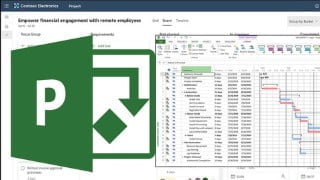

Learn how to create expert-level project plans using Microsoft Project. This tutorial covers critical path identification, resource management, data preparation, and importing models into Navisworks. Ideal for project managers, BIM managers, and 3D modelers, this course provides a comprehensive overview of Microsoft Project’s features and how to effectively utilize them in your projects. Enhance your project management skills and streamline your workflow with this powerful software.
What you’ll learn
- Create EXPERT-LEVEL Project plans using Microsoft Project
- Identify Critical Paths
- Manage all your Resources inside Microsoft Project
- Managing Data
- Preparing Model to import into Navisworks
Microsoft Project is designed to plan, organize, and facilitate collaboration around any given project. It might be used by individuals, agencies, construction managers, marketing teams, or startups. Anyone who needs to get something done neatly and efficiently will benefit from a robust set of project management tools. Microsoft Project software comes with familiar scheduling tools where users can list tasks, assign them to team members, and set details such as duration and due date. It includes different views like grid view, board view, and timeline/Gantt chart view where project managers can oversee schedules. Built ready for collaboration, it allows co-authoring so project teams can work together with other stakeholders to edit and update task lists, project schedules, task dependencies, and priorities. Teams can also use MS Project for timesheet submission as it captures project and non-project time and links it to payroll or invoicing.
The software provides tables, views, filters, fields, calendars, and a database for doing things like:
Developing project plans
Assigning resources
Tracking time & progress
Creating Gantt charts
Creating & managing budgets
Balancing workloads
Scheduling tasks & resources
Creating graphical reports
Storing project data in a shared database
Headlines:
What is TimeLiner
Introducing MS Project
Project Options
Duration
Working Time in Microsoft Project
Start and Finish
Recurring Tasks and Duration
Task Information
Free Slack & Total Slack
Text Styles and Gridlines
Layout and Columns Options
Managing Data
Resource Information
Gantt Chart
Preparing Model to import into Navisworks
In this tutorial, all the features of this powerful software are mentioned, and after that you can easily use it in projects. While watching this tutorial, be sure to use the practice file so that your learning process is done faster and with higher quality.
Who this course is for:
- Project Managers
- BIM Managers
- 3D Modelers
User Reviews
Be the first to review “Microsoft Project- From Beginner to Advanced”
You must be logged in to post a review.





There are no reviews yet.