
Microsoft Word, PowerPoint, Excel, Google Docs, Sheets etc.
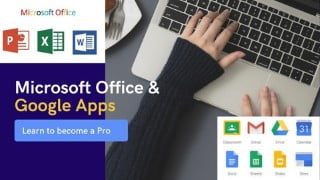

Master Microsoft Office Applications and Google Apps with this comprehensive video course. Learn Microsoft Word, Excel, PowerPoint, Google Docs, Slides, Sheets, Forms, and Drive. Taught by a certified tutor with over 15 years of experience, this course is compatible with various Office versions and offers lifetime access and support. Perfect for workers, business professionals, students, and anyone interested in increasing computer literacy. Enroll now and prepare for the digital age.
What you’ll learn
- Microsoft Word Mastery
- Microsoft PowerPoint Mastery
- Microsoft Excel Mastery
- Google Docs Mastery
- Google Slides Mastery
- Google Sheets Mastery
- Google Drive Mastery
- Google Forms Mastery
The only course you need to MASTER Microsoft Office Applications and Google Apps.
Features:
✅ Microsoft Word, Excel, PowerPoint, Google Docs, Google Slides, Google Sheets, Google Forms and Google Drive.
✅ Certified Tutor: Microsoft Office Specialist with over 15 years experience.
✅ Compatible with Office 2010, 2013, 2016, 2019 and Office 365.
✅ Full Lifetime Access
✅ 30+ video hours
✅ Lifetime Support Community
✅ Completion Certificate
This video course is my contribution to increasing computer literacy across the world.
Who should enroll for this video course?
✅ Workers
✅ Business Men and Women
✅ Students (Primary, Secondary and Tertiary)
✅ Adults
✅ Youths etc.
The video course is highly simplified for ease of use. Parents are advised to enroll their children for this course in order to prepare them for this digital age. I strongly recommend this video course for every home.
The following lessons were covered in this comprehensive course:
MICROSOFT WORD
✅ Introduction to Keyboard and Mouse
✅ MS Word Intro
✅ Start and Quit Word
✅ Word Interface Tour
✅ Entering and Deleting Text
✅ Moving the Insertion Point
✅ Starting, Opening and Closing of Word Documents
✅ Opening and switching between multiple documents
✅ Making Selections
✅ Customizing the view
✅ Zoom Adjustment
✅ Displaying Formatting Codes and Using Ruler
✅ Using Undo or Redo
✅ Cut, Copy and Paste
✅ Formatting Text
✅ Format Painter
✅ Working with Indents
✅ Bullets and Numbering
✅ Spelling, Grammar, Find, Replace, Go To & Document Statistics
✅ Line Spacing, Symbols, Equations, Special Characters, Time & Date and Page Setup
✅ Printing Documents
✅ Watermark, Page Color, Borders and Shading
✅ Cover Page and Page Breaks
✅ Section Breaks, Line numbers and Hyphenation
✅ Headers, Footers and Page Number
✅ Working with Styles
✅ Applying Columns
✅ Inserting Footnotes and Endnotes
✅ Bookmarks and Hyperlinks
✅ Working with Graphics
✅ Working with Tables
✅ Comments and Track Changes
✅ Protecting Document and Presenting Online
✅ Computer Shortcut Keys
MICROSOFT POWERPOINT
✅ Launching MS PowerPoint and Interface Tour
✅ Entering Text, Saving, Closing and Opening Presentation
✅ Setting up Presentation
✅ Working with Text
✅ Working with Objects
✅ Enhancing the Presentation
✅ Putting everything together
✅ Presenting Online
MICROSOFT EXCEL
✅ Understanding Excel Basic Terminologies
✅ Launching and Interface Tour
✅ Getting Started
✅ Manipulating Information
✅ Freezing panes to lock rows and columns
✅ Working with Formulas
✅ Calculating formulas across worksheets
✅ Formatting Worksheet
✅ Using Find, Replace, Sort and Filter
✅ Working with Charts
✅ Printing, protecting and viewing worksheet
GOOGLE APPLICATIONS
✅ Introduction to Google Apps
✅ Google Docs
✅ Google Slides
✅ Google Sheets
✅ Google Drive
✅ Introduction to Google Forms
✅ Google Forms
Who this course is for:
- Anyone interested in effective use of Microsoft Office Applications and Google applications
User Reviews
Be the first to review “Microsoft Word, PowerPoint, Excel, Google Docs, Sheets etc.”
You must be logged in to post a review.




There are no reviews yet.