
Movavi Video Editor Plus: Complete Video Editing Course
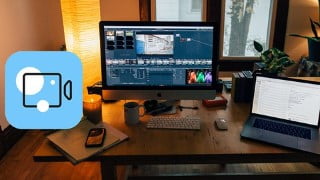

Learn video editing with this comprehensive course! Perfect for beginners and advanced individuals, you’ll discover techniques such as cropping, audio synchronization, and color correction. Whether you’re creating content for YouTube or professional clients, these easy-to-follow instructions will help you achieve the best results. With topics like keyframes, transitions, and noise reduction covered, you’ll become a confident and skilled video editor. Practice makes perfect, and this course provides the guidance you need to excel in your editing skills. Start your journey today and unlock your full potential in video editing!
What you’ll learn
- Starting & Setting up a Project
- Adding Multiple Video, Audio & Title Tracks
- How To Crop, Pan & Zoom Video Clips
- How To Record and Edit a Voiceovers
- How To Add a Logo/Watermark
- Audio Tools (Detach, Fast, Slow, Reverse, etc)
- Audio Synchronization
- Beat Detection
- Color Correction
- Video Stabilization
- Advanced Text Editing
- Keyframe Animations
- Video & Audio Effects
- Applying Advanced Filters
Show moreShow less
Video editing can be a difficult skill to learns but it doesn’t have to be. This course is for everyone who is interested in video editing. You do not have to be a professional video editor, anyone can to do it with the simple and easy to understand instructions provided in this course and even professionals can learn some new tips and tricks that are shown in this course. Whether you are creating YouTube videos, wedding, birthday, Tik Tok, Instagram, Facebook, or professional videos for clients, this course will help you achieve the best results. Some of the topics covered in this course I will cover all the features that can be used in Movavi to make your video editing experience effective and efficient. Some of the topics covered include, keyframes, animations, text editing, video stabilization, transitions, noise reduction, audio effects, creating intros.
By the end of this course you will a professional, able to start editing your videos with confidence and achieve the best results. My advice is to practice, practice and practice, this will make you a better and experienced video editor and if you forget how to do something, you can always reference back to these videos for guidance.
Who this course is for:
- Complete beginners
- Advanced individuals
User Reviews
Be the first to review “Movavi Video Editor Plus: Complete Video Editing Course”
You must be logged in to post a review.


There are no reviews yet.