
Perfecting Photoshop Portraits
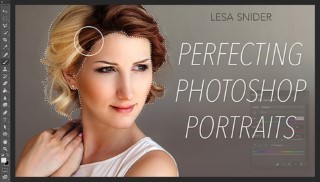

Go beyond the basics and learn professional techniques for retouching your portraits using Adobe Photoshop®!
Class Preview
Go beyond the basics and learn professional techniques for retouching your portraits using Adobe Photoshop®!
Removing or Repairing Hair
Meet internationally acclaimed author and instructor Lesa Snider and preview the valuable retouching techniques you’ll learn to perfect your portraits. Then get started enhancing your images as Lesa demonstrates how to fill in eyebrows and remove stray hairs and extra stubble.
Removing Unwanted Items
Need to remove a distracting element or two from your shot? No problem! Lesa demonstrates how to use the patch tool and clone stamp to seamlessly remove necklaces, bracelets and other unwanted items from your portraits.
Lighten & Darken Specific Areas
Make your subjects look their best with Lesa’s professional retouching techniques. Learn how to use the brush tool to reduce wrinkles, darken irises and subtly sculpt faces. Then, discover a time-saving trick for speeding up the process by creating a Photoshop action.
Slimming Techniques
Discover effective techniques for slimming down self-conscious subjects. With Lesa’s guidance, you’ll see how to apply this effect to an entire photo or specific areas using various blending techniques and layer mask options. Plus, Lesa shows you how to reduce a double chin with a little-used filter.
Adding Digital Makeup
Channel your inner artist as you learn to apply makeup to your subject’s lips, cheeks and eyelids. In the process, Lesa shows you how to save your adjustments in different layers to create dramatic and colorful effects.
Changing Colors
Learn how to change the color of your subject’s clothing with Lesa’s tips and tricks! See how to precisely adjust any color using hue saturation, selective color and color fill. You’ll also discover Lesa’s trusty technique for using Photoshop’s refine edges function to realistically change hair color.
Classic Color Tinting
Add an artistic touch to your portraits with colorizing and tinting effects! Lesa shows you how to add pops of color to a black-and-white photograph — or apply a creative tint to an entire image. In addition, practice using Photoshop’s powerful duotone mode to add stunning richness and depth to your work.
User Reviews
Be the first to review “Perfecting Photoshop Portraits”
You must be logged in to post a review.





There are no reviews yet.