
Photo Restoration techniques in Adobe Photoshop 2020
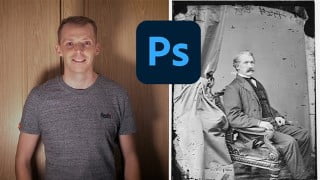

Learn how to restore damaged photos on Photoshop and relive past memories. This beginner’s course by Jonathon Parker, a Visual Effects and Motion Graphics lecturer, covers fundamental tools and workflows for photo restoration. Discover how to set up your project file, analyze photo damage, and use non-destructive techniques. Explore features like Dust and Scratched, clone stamp, spot healing brush, and stamp tool. Whether you’re a beginner or intermediate user of Photoshop, download the project files or use your own photos to start enhancing your skills in photo restoration.
What you’ll learn
- Lear how to restor damaged photos on photoshop
Relive past memories while becoming a pro at photo restoration. It can be so disappointing looking through old photos only to find out that they haven’t aged well. This course will go through some of the fundamental photo restoration tools and workflows.
My name is Jonathon Parker and I am a Visual Effects and Motion Graphics lecturer from Wales, UK. Throughout my lecturing career, I have developed a keen interest in photo restoration and have been restoring clients’ photos for the past 2 years.
This class is designed by a teacher, for you, the student. This is a beginner’s course that will go through some of the basics when it comes to photo restoration.
This class will teach you the following:
How to properly set up your Photoshop Project file
How to properly analyse your photo to see the full extent of the damage
A non-destructive workflow enabling you to go back to previous versions of your image
The Dust and Scratched feature, the clone stamp tool, the spot healing brush tool, and the stamp tool
So, what are you waiting for?! Either download the project files or grab one of your own photos and let’s go!
Who this course is for:
- Beginner to intermediate users of Photoshop
User Reviews
Be the first to review “Photo Restoration techniques in Adobe Photoshop 2020”
You must be logged in to post a review.





There are no reviews yet.