
Photoshop, Photo to Painting Art History Brushes not Filters
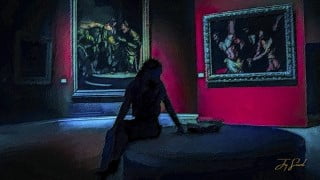

Learn how to transform your photos into stunning wall art paintings using Photoshop. Discover the power of brushes and the Art History Brush tool. Bring your creativity to life with a graphics pad or mouse. Join this course and unleash your artistic potential. Perfect for anyone interested in creating beautiful wall art using Photoshop.
What you’ll learn
- How to use Photoshop tools to enhance and image.
- How to use the Art History Brush tool to paint a picture.
- How to paint a picture using brushes not filters.
- How to use a graphics pad in Photoshop to paint a picture.
During this lesson, we are going to learn how to take a picture and transform it into a work of art that we can put on your wall. We will be working in Photoshop, and you should bring either a graphic pad and pen, or a mouse if that’s all you have. If you are interested in following along with me, you will need to have Photoshop installed on your computer. I’ll make the brushes and the photo that I used in the course available for download as well, in case you’re interested. There won’t be any filters like those used by others AKA (oil paint filter). Instead, we will be employing brush strokes, much as an artist would use a brush and a canvas while creating their work. When I produce an oil painting from a photograph, I always utilize these specific approaches, and I’m going to explain them to you step by step. Your final assignment for the class will be to post the piece of wall art painting that you made by using everything you have learnt during the course. I look forward to seeing you in class, and I hope you like painting. So with that said, I can’t wait to get started.
Who this course is for:
- Any one that would like to learn how to turn a picture into a wall art painting using Photoshop.
User Reviews
Be the first to review “Photoshop, Photo to Painting Art History Brushes not Filters”
You must be logged in to post a review.





There are no reviews yet.