
Powerful Presentations with Google Slides
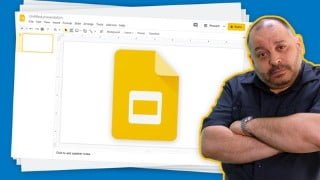

Learn how to create engaging and impactful presentations using Google Slides. This comprehensive course covers everything from navigating the interface to adding media and designing effective slides. Perfect for anyone who wants to improve their presentation skills and make a lasting impression. Enroll now and take your presentations to the next level!
What you’ll learn
- How to Navigate the Google Slides Interface
- How to Add, Delete and Hide Slides
- How to Apply a Slide Layout
- How to Change the order of Slides
- How to Apply Google Slides Themes
- How to Alter Google Slides Backgrounds
- Adding Type to your Slides
- Adjusting Typographical Options within Slides
- How to Create Social Media Cards with Google Slides
- Adding Images to Your Presentations
- How to Add Audio and Video Content to Your Presentation
- Inserting Shapes Into Your Presentation
- Adding Diagrams to Your Presentations
- How to Create an Infographic with Google Slides
- How to Work with Master Slides
- Create, Adjusting Slide Layouts
- Saving Themes as Templates in Google Slides
- Adding Speaker Notes to Your Presentation
- How to Give your Presentation and Share Your Slides with Others
- Pro Tips for Impressive Slide Layouts
- Pro Tips for Readable, Clear Typography
- Pro Tips for Images and Media within Presentations.
Show moreShow less
Imagine having slides so engaging that people ask you for copies simply because they admire the design.
Your slides can make or break your presentation.
If you’re like most people giving a presentation can be frightening– It’s not just the public speaking, but you have to provide slides to go along with your talk.
Well-designed slides help you get your point across, make your presentation more engaging and provide a great memory aide when you’re on stage (or on Zoom!). Poorly-designed slides? Well, I think you know!
Join international speaker and instructor Mark Lassoff for this comprehensive course on Google Slides. Mark has used Google Slides to give presentations to groups of as large as 1,500 people, both online and offline. Mark specializes in designing effective, well-designed slides that wow audiences.
You don’t need any previous experience to succeed in this course. Mark starts with the basics, showing you around the Google Slides interface. He covers all the topics you will need to use Google Slides successfully. Topics like typography, layout, master slides, and adding media like audio and video are covered.
You won’t just learn the mechanicals of Google Slides– You’ll also learn how to create slides with IMPACT as Mark reviews how to best layout slides and discusses impactful typography and media usage.
As a participant in Powerful Presentations with Google Slides, you won’t just sit back passively and watch. You’ll practice your new skills with great projects that are included:
• A multimedia presenation
• Creating a social media card with Google Slides
• A complete infographic using Google Slides
If you want to give great presentations and Google Slides is your tool, you need to enroll in this course now!
Who this course is for:
- Anyone who has to give presentations
- Students and Teachers looking for a slide based solution
- People moving from Microsoft Office to the Google Suite
- People looking to Push Google Slides to the Max
User Reviews
Be the first to review “Powerful Presentations with Google Slides”
You must be logged in to post a review.



There are no reviews yet.