
PowerPoint : Animated video infographics
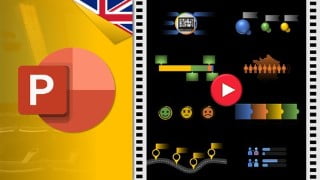

Learn how to create powerful video infographics with PowerPoint. Customize and animate components, highlight key information visually, and add a background soundtrack. Avoid technical complexities and high costs by using PowerPoint’s user-friendly interface. This course is suitable for beginners and experienced individuals looking to enhance their personal or company communication through video infographics. Start creating stunning projects today!
What you’ll learn
- Create powerful video infographics with PowerPoint
- Design, customize and animate components: icons, visuals, charts, diagrams, text …
- Master 15 ways to visually highlight key information
- Add a background soundtrack on several slides
- Use the mask to create reusable slides
- Export the animated presentation in video format
- Reuse and customise the 15 corrected templates for your own communications
The need to share information is exploding : social networks, online training, digital transformation … and video is the most effective medium. But improving communication and sharing knowledge is often synonymous with technique, long delays and high costs…
For several years now, I have been running workshops and gathering feedback from my learners in order to be more in line with their expectations.
This is how, over time, my training courses have been enriched by your comments …
1 | How to bypass technique in favour of creativity ?
I started with professional editing software and very quickly realised that there is a lot to learn, that it is hyper technical and that between two courses there can be time that obliges you to relearn the good practices, in short I quickly gave up!
With PowerPoint, you practice on a daily basis and video editing is only 5 functions to master: a concentrate of essentials that allows creativity to express itself. The video that we are going to make together in this course is a testament to the software’s ability to produce quality videos.
2 | How to get to the point without wasting time ?
For my courses, I have deliberately chosen a multimodal approach to meet the needs expressed by my learners …
In order not to waste your time, synthetic teaching videos are proposed.
For your convenience, I provide transcripts of the videos. Some learners prefer to consult a pdf to complete the exercises step by step.
For the laziest, the corrected models of each exercise can be downloaded, personalised and republished in video format. This saves a lot of time!
3 | How to do it yourself to avoid software and service costs ?
Very often, we have access to PowerPoint for 0€ on our professional or personal computer.
By becoming autonomous in your realizations with PowerPoint, you will be able to imagine beautiful projects, simply by investing a little of your time.
I hope you will enjoy following this course as much as I did designing it.
Have a good discovery.
Who this course is for:
- Any beginner or experienced person wishing to improve their personal communication
- Anyone who wants to improve communication in their company
- Anyone wishing to produce video infographics services
User Reviews
Be the first to review “PowerPoint : Animated video infographics”
You must be logged in to post a review.





There are no reviews yet.