
Premiere Pro: Edit your videos 3 TIMES FASTER
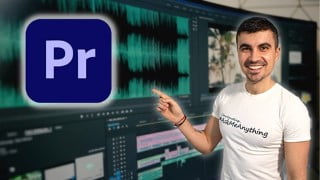

Learn how to edit faster in Premiere Pro with this course! Organize projects, use keyboard shortcuts, and incorporate labeling and markers for efficient editing. Get a cheat sheet and hotkeys file to enhance your skills. Perfect for Premiere Pro editors looking to speed up their workflow.
What you’ll learn
- Create a folder structure that is easy to follow
- Organize your projects
- Choose the best layouts
- Learn new keyboard shortcuts
- Learn best practices for hotkeys
- Edit Interviews & Presentations FASTER
- Incorporate Labeling & Markers
- Synchronize, add text, and reframe sequences FASTER
About This Class:
Are you a beginner in Premiere Pro who knows how to do basic edits? The next step is to get into a routine and start getting faster. This is the course that will bring you to the next level. Keep on reading to see what you are getting with this course.
Class objective
Finish this course and you’ll be able to:
Create a folder structure that is easy to follow
Organize your projects
Choose the best layouts
Learn new keyboard shortcuts
Learn best practices for hotkeys
Edit Interviews & Presentations FASTER
Incorporate Labeling & Markers
Synchronize, add text, and reframe sequences FASTER
In addition to everything you will learn, you will also get:
A cheat sheet with all the keyboard shortcuts
The hotkeys file so you can install them on your machine (both Mac & PC)
Send me a message if you want to have the 2 above as instructors can’t share links in this space.
Final Result:
By the end of this class, you’ll not only learn how to edit faster but learn new techniques, too. Remember, the goal is to spend less time in Premiere Pro so you can have more time scripting, filming, or procrastinating 😉
Your Instructor Curious Pavel:
At the end of 2015, I started a YouTube channel not with the idea to become a YouTuber but to use it as a place to store my portfolio and track my progress. And it worked!
It was all thanks to my curiosity and persistence… and many, maaaaany sleepless nights.
Because when I started I had absolutely no idea how to film videos, let alone edit them.
But little by little things came into place. That YouTube channel led me to a full-time videographer role, and now I am freelancing video projects, along with other ventures.
========
I have also prepared a homework assignment for you once you finish this course. You will be editing the same project as me… for time!
Once you complete the course, I will send you instructions!
Good Luck & Stay Curious!
Who this course is for:
- Premiere Pro editors who know the basics of the program but are looking to edit projects faster
User Reviews
Be the first to review “Premiere Pro: Edit your videos 3 TIMES FASTER”
You must be logged in to post a review.


There are no reviews yet.