
Pro Tips To Level-Up Your Video Editing Skills
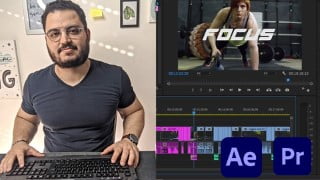

Learn how to incorporate Adobe After Effects in your video editing workflow, creating impressive motion graphics and visual effects. Discover the benefits of animation, VFX, and motion titles, and how to combine both Premiere Pro and After Effects for seamless editing. Perfect for video editors and content creators looking to enhance their post-production skills. Get started with Adobe After Effects and Premiere Pro today!
What you’ll learn
- To easily navigate between Premiere Pro and After Effects
- To Use After Effects for Post-Production
- Tips to Improve your Video Editing workflow in Premiere Pro
- To use different Types of Effects both in After Effects and Premiere
- Best Export Settings
Hello everyone and welcome to video editing in Adobe After Effects and Premiere Pro . In this class, I will show you how you can incorporate After Effects in your post-production workflow by applying animation and graphics to actual footage, while Premiere Pro is great for cutting your video files and color grading After Effects is the go-to software for creating impressive motion graphics, and visual effects.
So why would you need After Effects in post-production? besides making your videos look more impressive and professional. I would say the main reasons you want to use After Effects are animation, VFX, and Motion Titles let me explain further.
Animation
While you can create basic animation in Premiere Pro, the keyframes and speed graph in After Effects offer more possibilities, and the workflow is much easier and more optimized therefore you end up creating a more advanced and eye-catching animation no matter what type of file you are working with.
VFX
When it comes to VFX After Effects has the best tools for compositing, rotoscoping, and masking. it also contains a lot of amazing Visual effects that you can apply to your videos also the number of plugins for VFX in After Effects are superior and much better.
Motion titles and text
With After Effects can create eye-catching opening credits sequences, lower third graphics, 3D motion text, or kinetic typography videos. Using either the built-in motion features or third-party presets.
How Can you combine both programs to make movie magic?
You can use Premiere Pro to edit a rough cut of your footage and then use dynamic links to send specific scenes to After Effects add whatever you want to add and then save and close After Effects everything will be automatically copied over and updated in your Premiere Pro file.
Who is this course for?
Video Editors
Content Creators
You will need
Adobe After Effects
Adobe Premiere Pro
A Laptop that can run both
What are you going to learn?
How to track graphics and text to objects and surfaces
To remove things from the Video
To make Composting
To Perfectly remove a green screen
To remove the black-and-white screen
Who this course is for:
- Content Creators
- Video Editors
User Reviews
Be the first to review “Pro Tips To Level-Up Your Video Editing Skills”
You must be logged in to post a review.




There are no reviews yet.