
Procedural Materials In Blender
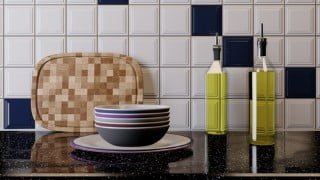

Learn how to navigate the shader editor and create stunning procedural materials in Blender. Improve your workflow with useful shortcuts and techniques. Perfect for beginner Blender artists.
What you’ll learn
- How to navigate the shader editor .
- Useful shortcuts to speed up your workflow.
- How texture coordinates and values are processed in shaders.
- How to set up an image-based PBR texture.
- How to create procedural surface imperfections.
- How to create custom glass shaders for added flexibility.
- How to manipulate built-in procedural textures like Voronoi and Noise.
- How to create textures from scratch by using maths.
- How to bake textures to images for use outside Blender .
Introduction to Procedural Textures
The materials we use in a scene, how they react to light and how they interact with one another has a huge impact on our ability to tell stories through our work but stepping into node-based procedural workflows can be very daunting for the first time.
In this course, Erin will walk you through from the basics of navigating the Shader Editor all the way up to creating a fully procedural shader from scratch and covering any maths involved. The course is project-based to ensure that skills are applied immediately and you’ll be given extra challenges throughout to further consolidate what you’ve learned! All the necessary assets are provided so you can just focus on the course content.
In this course you will learn:
How to navigate the shader editor
Useful shortcuts to speed up your workflow
How texture coordinates and values are processed in shaders
How to set up an image-based PBR texture
How to create procedural surface imperfections
How to create custom glass shaders for added flexibility
How to manipulate built-in procedural textures like Voronoi and Noise
How to create textures from scratch by using maths
How to bake textures to images for use outside Blender
By the end of this course, you will have the foundational skills in place to be able to explore your own ideas and to generate and adjust materials to suit your purposes. Erin Woodford has been using Blender for 12 years and started worked professionally as a 3D artist and educator alongside their degree. While their professional practice has taken them across many different areas, from stylised TV work, to photoreal product and architectural visualisation, the main emphasis in their personal work has always been around exploring and sharing procedural workflows within Blender.
Remember to join our Facebook group and Discord for course help, support and showing your work.
Who this course is for:
- Beginner Blender artists wanting to get to grips with procedural materials.
- Blender artists new to proceduralism.
User Reviews
Be the first to review “Procedural Materials In Blender”
You must be logged in to post a review.




There are no reviews yet.