
Sonic Text Logo Animation for Beginners using After Effects
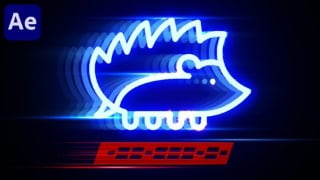

Learn the basics and advanced techniques of text logo animation in this After Effects class. Perfect for beginners and experienced motion designers, you’ll discover various tools, complex effects, and different techniques to create stunning animations. With step-by-step instructions and attention to detail, you’ll gain full control over your animations and enhance your skills. Ideal for novice After Effects users, beginners in animation, VFX artists, After Effects template creators, motion designers, and video editors. Start creating polished and professional animations today!
What you’ll learn
- Text Animation
- Logo Animation
- Advanced Animation
- Fire Animation
- Electric Animation
- Advanced Glow Techniques
- 3D Animation
In this After Effects class we are going to learn all basics and advanced techniques of text logo animation by creating motion graphic template shown in introduction video. This class is great for Beginner level as well as expirienced motion designers. It’s a great way to introduce yourself to Adobe After Effects, and also learn few new tricks if you already familiar with this software.
Class Outline
Easy Animation. We will start easy! I will teach you how and when to use the tools in Adobe After Effects to control your animation and create a polished result. Whether you are an expirienced motion designer or just beginning to learn animation. I’ll share my tips and tricks to help you improve your skills and sharpen your work.
Advanced Animation. After completing each video you’ll get to more complex and professional animation. You are welcome to share screenshots of your progress, so that I could help or share my thoughts, and feedback on your animation.
Discover All Basics and Advanced Tools. You’ll gain a comprehensive understanding of speed graphs in Adobe After Effects and how to use them to get smoothest animation as well as full control over it. Plus, I’ll share workflow tips and keyboard shortcuts that will help make your animation work more efficient and cool-looking.
Step-by-step instructions. We will break down complex effects into simple, manageable pieces. You’ll see how to create complex animations all inside of Adobe After Effects, no need to jump between applications or buying expensive plugins, all you need is any version of Adobe After Effects.
Using Complex Techniques. I’ll show you how to use built-in effects to customize, control, and create complex animation. By the end of these animation classes, you’ll be able to manipulate keyframes, apply and mix multiple effects, and influence little details to get best results.
Discover Different Techniques. I’ll show you different ways to get stunning looking effects to enrich your skills with multiple ways to create your unique animations. Each new way has it’s own benefits.
Easing motion and animation shortcuts. You’ll know how to customize the order and timing of your layers animations and be able to make an unlimited number of designs.
Finalizing the Look. Great work is different from amature animation – in details. This is why last few videos are dedicated on attention to details to make good animation look great and professional.
Who this course is for:
- Novice to After Effects
- Beginners to Animation
- VFX artists
- After Effects Template Creators
- Motion Designers
- Video Editors
User Reviews
Be the first to review “Sonic Text Logo Animation for Beginners using After Effects”
You must be logged in to post a review.





There are no reviews yet.