
Tiktok Videography Masterclass: Beginner to Pro – Feb 2023
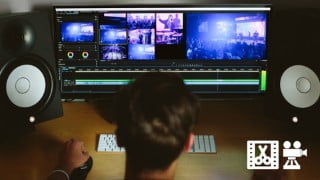

Learn the fundamentals of videography and visual storytelling with your smartphone. Turn your smartphone into a professional-quality video camera and shoot high-quality, cinematic videos. This course covers various topics like editing, effects, and apps to enhance your storytelling. Perfect for beginners to intermediate filmmakers, YouTubers, and social media creators. Hands-on demonstrations and “How To” instructions make this course engaging and interactive. Start today and unlock the potential of the amazing camera in your pocket.
What you’ll learn
- The fundamentals of videography and visual storytelling with mobile smartphone
- Mobile filmmaking tech and app overviews
- How to turn your smarphone into a professional-quality video camera
- And how to shoot high-quality, cinematic video with your smartphone
Learn how to turn your smartphone into a professional quality camera and start creating amazing videos today.
Tiktok Videos
IG Reels Videos
Facebook Videos
Promo & Marketing
YouTube Videos
Indie Films
Mobile Journalism
Corporate Videos
Social Media
Travel Films
Documentaries
Music Videos
Real Estate Videos
And a lot more. Whatever you want to make.
In this course you’ll first learn about Videography and visual storytelling that applies to using your smartphone. Then we explore the technical aspects about shooting, effects and editing smartphone video. And finally we tie it all together with apps and accessories that will help best tell your story.
Covers these topics and more:
Unboxing with Transition Editing
Running Cloud Editing
Giant Human Editing
Chair Pulling Editing
Flame Breathing/Element Editing
Beautiful View Editing
Motivation Transition Editing
Orbit the Object Editing
Move Transition Editing
Clone Yourself Editing
Freeze Frame Editing
Frame Blocking Transition Editing
Put Image/Logo Behind the Person Editing
And please note this course will be routinely updated whenever there are new app & tech advancements that are necessary to include!
The best thing is once you learn the basic principles of cinematography (composition, framing & lighting) those skills will stay with you forever and can be used regardless of the kind of camera (including smartphones) you shoot with in the future.
Don’t wait to create! Start today and unlock the potential of the amazing camera you carry in your pocket.
Who this course is for:
- Beginners to intermediate… indie filmmakers, YouTubers, mobile journalists, corporate video producers, social media creators, etc.
- The lessons in this course will apply to any and all kinds of productions, but note that many of the examples presented are from movie & TV style projects
- Anyone wanting to learn the fundamentals of cinematography and smartphone video production (and mobile filmmaking)
- Also, this course is NOT your normal “lecture” style course where an instructor just talks and talks and talks to the camera but rarely shows anything. This course is all about hands-on demonstrations along with “How To” instruction throughout. And students can ask questions at any time via comments on the lessons
User Reviews
Be the first to review “Tiktok Videography Masterclass: Beginner to Pro – Feb 2023”
You must be logged in to post a review.



There are no reviews yet.