
Video Editing in Adobe Premiere Pro 2020
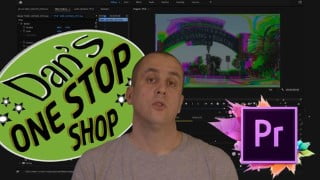

Learn all aspects of video editing in Adobe Premiere Pro 2020, from basic to advanced techniques. This comprehensive course covers everything from setting up a folder structure to exporting videos for social media. Perfect for beginners or experienced editors looking to enhance their skills and knowledge. Improve your editing flow, avoid common mistakes, and develop a personal style. Ideal for anyone aspiring to become a professional video editor.
What you’ll learn
- Video Editing in Adobe Premiere
- Students will learn all aspects of working with Adobe Premiere
- Basic to Advanced Editing, Effects, Grading, Audio Mixing and Exporting Videos
- Basic Film Theory used in Video Production and Post Production explained
- Quick overview of requirements needed for shooting Video the right way for any edit
- I share tips to avoid the most common mistakes in editing and how to create a personal flow and style that can be applied to any edit
In this course students will learn editing using Adobe Premiere Pro 2020. Before learning how to create Projects and learning about the Interface and different workspaces, students will learn to set up a folder structure to organise any edit and to convert clips in Media Encoder. I have also included an overlook on the most common film theory used in video production and post production. I give a brief overlook on how to film footage the right way, but also how to fix footage in a grade, before applying a look or using LUTs. Students will find information on different aspect ratios and learn about different video signals and learn about technical aspects that can be applied directly when grading any footage in Premiere. After learning about basic editing functions and applying effects, I also give tips on how to create an individual style and flow. With over 25 years working as an editor, I also included how to avoid the most common mistakes I have come across in the industry over the years. This course should be a one stop shop for any aspiring creative with either no experience or have already been editing for some time either professionally or as an enthusiast at home that still want to add to their knowledge of editing and post production. At the end I will also teach how to export using the most common aspect ratios and settings for social media.
Who this course is for:
- from anybody who wants to improve their skills and knowledge to students wanting to become professional Video Editors
User Reviews
Be the first to review “Video Editing in Adobe Premiere Pro 2020”
You must be logged in to post a review.



There are no reviews yet.