
Video Editing In Adobe Premiere Pro Mega Pack 5 Courses In 1
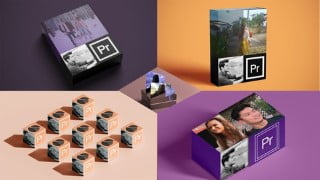

Learn video editing in Adobe Premiere Pro and become an expert in this lucrative skill. This practical-based course covers everything from editing cinematic vlogs to creating logo animations and color grading. You’ll also learn video compositing tools and techniques, including green screen removal and masking. This bundle course offers maximum value at an affordable price, making it perfect for beginner to intermediate level video editors looking to enhance their skills. Step up your video editing game and enroll now!
What you’ll learn
- Video editing in adobe premiere pro
- Become expert in video editing by practical based follow along courses
- Learn to edit a cinematic vlog video from start to finish
- Learn the concepts of application , modification and creation of transitions in adobe premiere pro
- Learn to create logo animation for your brand from start to finish
- Learn the concepts of color grading with practical examples
- Create color grading presets , luts and curve variations
- Learn video compositing in premiere pro
- Learn Green screen removal , Black background removal , Masking and blending modes .
Video editing is one of the most demanding and lucrative skills of 21st century . From mobile screens , social media to theater every sector requires video editing in some form or other . Hence learning the industry standard software are a must . In this course you will learn video editing using adobe premiere pro with practical examples . And follow along pattern ensures that all changes will happen in front of your eyes .
This is a bundle course of 5 of my different video editing courses . Hence it insure your maximum learning content at most affordable price. Here are some of the key points of this course :
1) Video editing in adobe premiere pro
2) Become expert in video editing by practical based follow along courses
3) Learn to edit a cinematic vlog video from start to finish
4) Learn application , modification and creation of transitions in adobe premiere pro
5) Learn to create logo animation for your brand from start to finish
6) Learn color grading with practical examples
7) Create color grading presets , luts and curve variations
8) Learn video compositing tools and methods in premiere pro
9) Learn Green screen removal , Black background removal , Masking and blending modes .
10) Bundle course format helps you to get maximum value for most affordable price
So what are you waiting for ? Just take this course and step up your video editing skills
Who this course is for:
- Beginner – Intermediate level video editors
- Advance level editors who want to polish their skills
User Reviews
Be the first to review “Video Editing In Adobe Premiere Pro Mega Pack 5 Courses In 1”
You must be logged in to post a review.



There are no reviews yet.