
Design for 3D Printing Using Blender
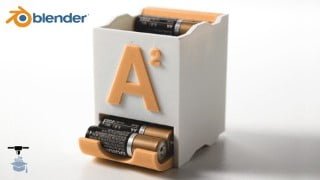

Learn how to design your own objects for 3D printing using Blender, a powerful and free software. From basic to complex designs, this comprehensive course will teach you the essential tools and shortcuts. Unlock the potential of 3D printing and bring your ideas to life in the real world. Perfect for beginners and those looking to expand their skills. Instructor assistance and support included. Start creating custom, practical, and unique objects today.
What you’ll learn
- Learn how to use the most important tools in Blender
- Optimize your designs and prepare them for 3D Printing
- Learn and understand Blender’s user interface
- Learn the most useful and powerful keyboard shortcuts
There are many great 3d models available to download online for 3d printing, however having the ability to design your own objects opens a whole new world of opportunities for 3d printing. This is what makes 3d printing really powerful: being able to think of something you want to create, and being able to make it in the real world.
“My highest quality and most comprehensive course to date” -Steven (Course Instructor)
Learn the skills you need to design your own practical things for 3D printing using Blender, a powerful 3d modeling software application that is free and open source.
Feel comfortable tackling both simple or complicated multi-part designs by learning the core features of Blender.
Learn to design your own unique creations from the initial idea stage to a complete finished working model.
In this course you will learn how to design your own custom, practical, and useful things. There are many great 3d models available to download online for 3d printing, however having the ability to design your own objects opens a whole new world of opportunities for 3d printing. This is what makes 3d printing really powerful: being able to think of something you want to create, and being able to make it in the real world.
Custom Storage Containers (Different from the battery containers)
Workshop Jig (Center Finder)
Phone / Tech Stand
Custom Self Watering Planters
Approximately 1.5 Hours of On-Demand Content
+Instructor Assistance and Support
Instructor: Steven Wolfe
Owner of 3D Printer Academy Youtube Channel (73,000 Subscribers)
Product Designer – Bachelor of Science in Engineering
Founder of Wolfe Pacific LLC (est. 2018)
YouTube video review:
“Please continue to make these! This was already super helpful and I’d love to see a more in depth guide on using these tools to make objects as complex as your marble tracks.”
Who this course is for:
- Everyone who wants to learn how to design their own things for 3d printing
User Reviews
Be the first to review “Design for 3D Printing Using Blender”
You must be logged in to post a review.





There are no reviews yet.